

Three decisions sit under every map frame: how zoomed in it is, which part of the world it shows, and how the round Earth was flattened to make it. Each one changes what a reader can safely conclude.
What are scale, extent and projection?
Map scale is the ratio between a distance on the map and the same distance on the ground. At 1:240,000, 1 cm on the page stands for 240,000 cm, which is 2.4 km, on the ground.
Extent is the part of the world the map frame shows. It is a rectangle with a left, right, top and bottom limit.
A projection is the method used to flatten the curved Earth onto a flat page. Every method distorts something: shape, area, distance or direction. A coordinate reference system (CRS) pairs a projection with the datum and units it uses. A projected CRS, such as UTM zone 43N (EPSG:32643), measures in metres. A geographic CRS, such as WGS 84 (EPSG:4326), measures in degrees.
Why it matters
Scale decides which features can be read. At 1:240,000 a whole city fits on one A4 page, but a single building does not show. Extent decides whether the reader sees the full picture or a cropped part of it. Projection decides whether areas on the map can be compared. A map that enlarges the north cannot fairly compare the size of two regions.
The rules
- Large scale and small scale. A large-scale map shows a small area in detail, such as 1:5,000. A small-scale map shows a large area with little detail, such as 1:5,000,000. People often get this the wrong way round, because a large number looks big. The number is the denominator of a fraction, so a larger denominator means a smaller scale.
- Fit the extent to the question. Include the whole area the message needs and a little context around it. Avoid large empty margins and avoid cutting off part of the study area.
- For a series of maps meant for comparison, keep the same scale and a comparable extent. Different scales on different maps make the comparison unfair.
- Choose a projected CRS that suits the area when the reader will compare areas or distances. For Bengaluru, UTM zone 43N covers 72°E to 78°E and the city is at about 77.6°E, so it is a good fit.
- Do not make area or distance claims from a projection that distorts that property. Web Mercator (EPSG:3857), used by most web maps, enlarges areas away from the equator. At Bengaluru's latitude of about 13°N the enlargement is about 5 percent. It is small here, and it grows quickly towards the poles.
- Say what you used. When the CRS matters for interpretation or for someone who will reuse the data, write it on the page.
See the difference
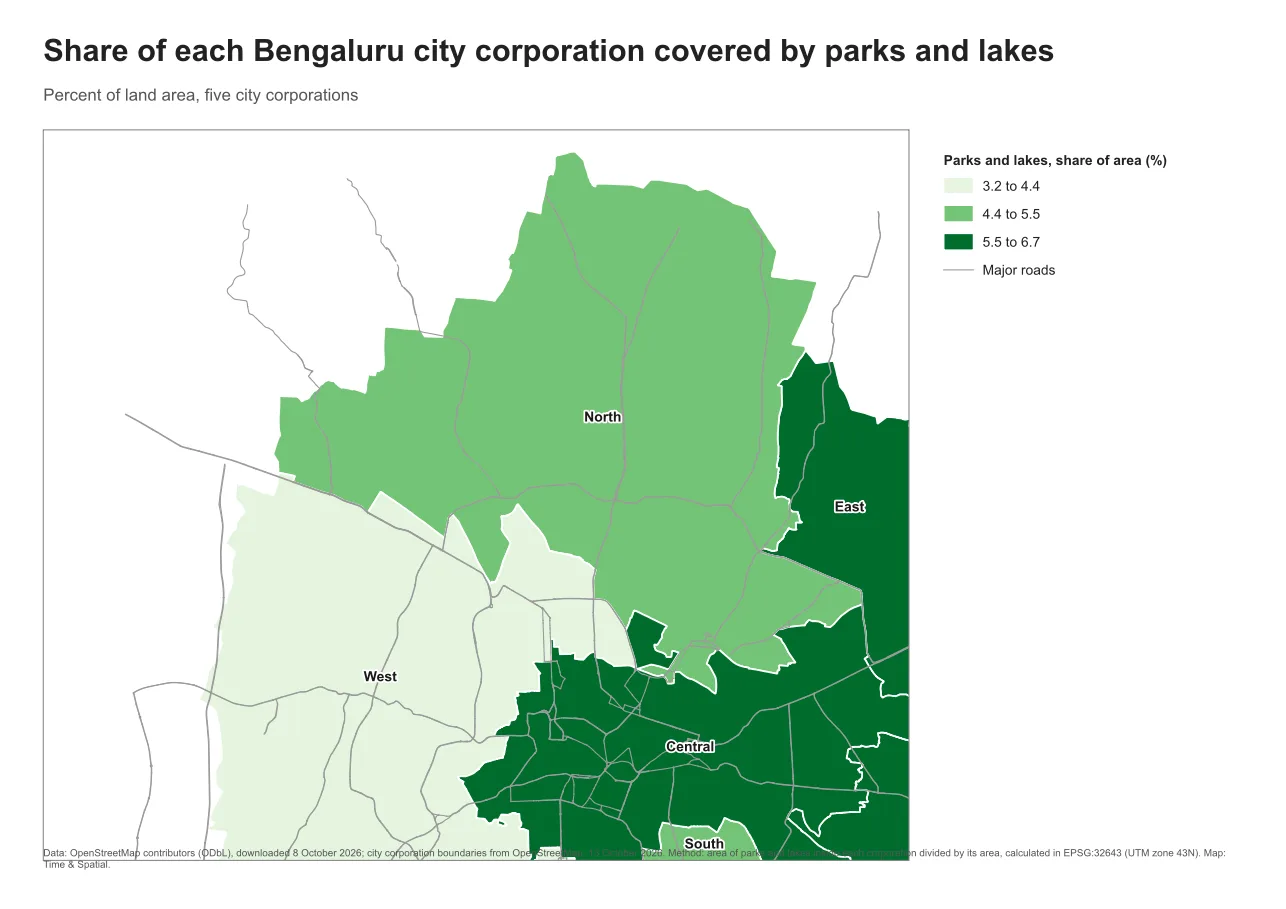
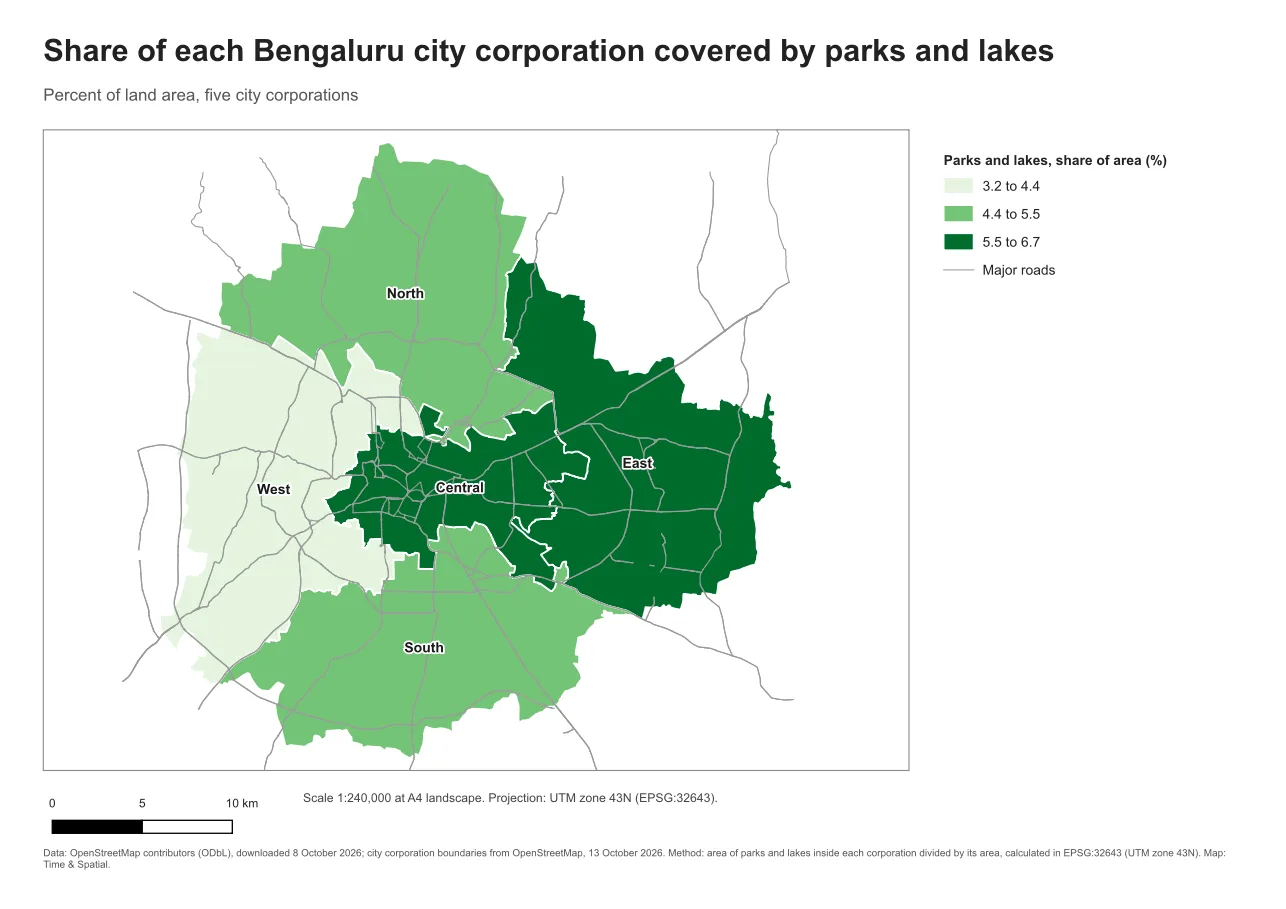
Do it in QGIS
- Choose the project CRS in Project > Properties > CRS. Pick one that suits the area, such as the UTM zone for a local map.
- In the Print Layout, select the map item and open Item Properties. Under Main Properties, set the Scale to a round number such as 240000.
- Under Extents, check the numbers, or use the button that sets the map extent to match the main canvas.
- Add a scale bar linked to this map item. The scale bar always tells the truth about the page size. A number such as 1:240,000 is true only at the page size you designed for, because a resized or reprinted page changes it.
- Add a short label stating the scale and the CRS, as in the picture above.
Common mistake: dragging the map until it looks right
If you pan and zoom by eye, the scale ends up as an odd number such as 1:238,417 and the extent may cut something off. Set a round scale from the item properties and check all four edges of the study area. Then lock the layers and the view, so that the map does not change when the project does.
Glossary
| Term | Meaning |
|---|---|
| Map scale | The ratio of a distance on the map to the same distance on the ground |
| Large-scale map | A map of a small area with a lot of detail, for example 1:5,000 |
| Small-scale map | A map of a large area with little detail, for example 1:5,000,000 |
| Extent | The rectangle of the world shown in the map frame |
| Projection | The method of flattening the Earth onto a plane |
| CRS | A coordinate reference system: a projection with its datum and units |
Practise it
Open the Print layouts in QGIS layout and set the scale to 1:240,000, then 1:120,000. Note which parts of the city leave the frame. For the idea of coordinate systems themselves, see the CRS tutorial.
Test yourself
1. Is 1:5,000 a large-scale or a small-scale map?
Large scale. It shows a small area in detail. 1:5,000,000 is small scale.
2. Why keep the same scale across a series of comparison maps?
Different scales make features look larger or smaller from map to map, so readers cannot compare them fairly.
3. Why prefer a projected CRS for comparing areas?
It measures in metres and is chosen to keep distortion low in your area. Degrees in a geographic CRS are not a unit of area or length.