

What is a CRS?
A coordinate reference system explains what the numbers in a coordinate pair mean. The pair 77.59, 12.97 is a location only if you know the system it belongs to. Without that, the numbers could be degrees, metres, or feet, measured from different origins.
A CRS has three parts:
- A datum, which is a mathematical model of the Earth's shape and where its origin sits. WGS 84 is the datum used by GPS.
- A coordinate system, which sets the axes and units (degrees or metres).
- For projected systems, a map projection, which is the formula that flattens the curved surface onto a plane.
Geographic and projected CRSs
| Geographic | Projected | |
|---|---|---|
| Units | Degrees of latitude and longitude | Metres or feet |
| Surface | Curved (angles on a sphere or ellipsoid) | Flat (a plane) |
| Distance and area | Not directly usable, because a degree changes in length with latitude | Usable, with some distortion |
| Example | EPSG:4326, WGS 84 | EPSG:32643, WGS 84 / UTM zone 43N |
| Typical source | GPS receivers, KML, GeoJSON | Survey maps, satellite scenes |
Every projection distorts something: area, shape, distance or direction. A good choice keeps the property you care about and limits distortion to the region you work in.
EPSG codes
EPSG codes are numeric IDs from a public registry of coordinate systems. They give you a short way to name a CRS without writing out its full definition.
| Code | Name | Use |
|---|---|---|
| EPSG:4326 | WGS 84 (geographic) | GPS, web data exchange, GeoJSON, KML |
| EPSG:3857 | WGS 84 / Pseudo-Mercator | Web basemaps. Not for measuring |
| EPSG:32643 | WGS 84 / UTM zone 43N | Metric work in a 6° strip, which includes Bengaluru |
| EPSG:7755 | WGS 84 / India NSF LCC | A projection designed for all of India |
India spans mainly UTM zones 42 to 46, so a single UTM zone suits a state or a city but not the whole country. Sentinel-2 and Landsat scenes arrive in the UTM zone of their tile, which is why Part 1 used EPSG:32643.
Check the CRS in QGIS
The project CRS
The project CRS shows at the bottom right of the status bar. Click it to open Project Properties > CRS.
The CRS of a layer
Use any of these:
- Hover over the layer name in the Layers panel to see a tooltip with the CRS.
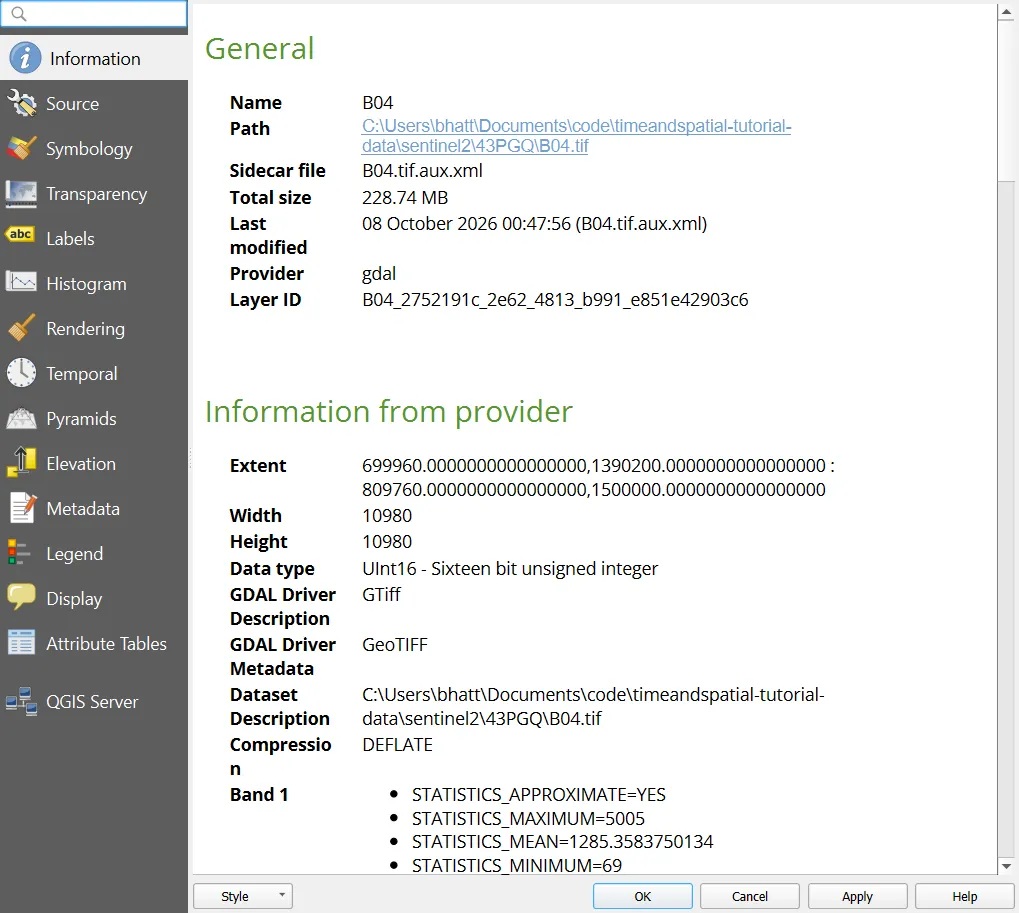
- Double-click the layer > Information tab. The CRS is listed.
- Right-click the layer > Layer CRS, to see the recent choices.
Layers in different CRSs
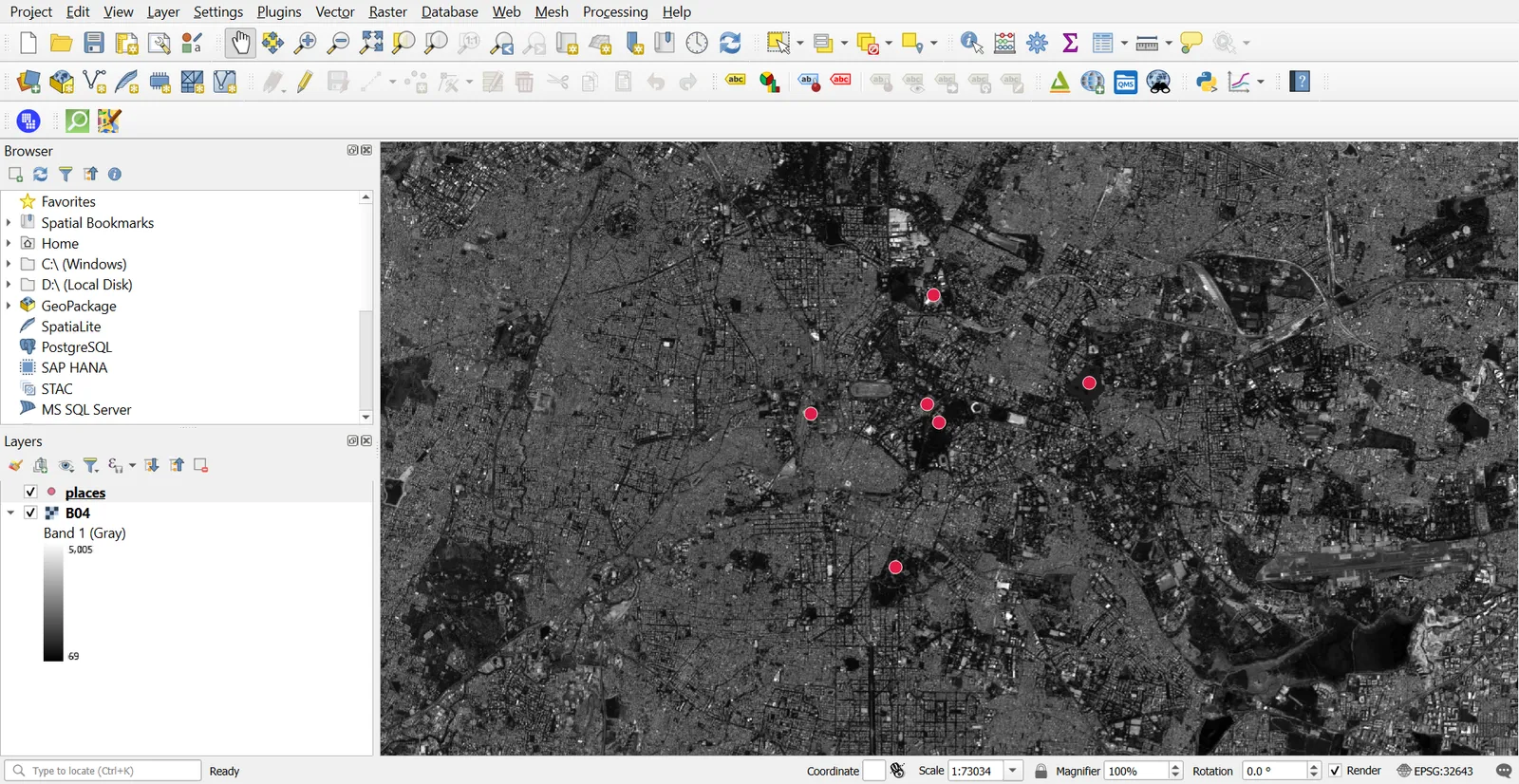
QGIS reprojects layers on the fly to match the project CRS. Add B04.tif (EPSG:32643) and places.csv (EPSG:4326) from earlier parts, and they line up even though one is in metres and the other in degrees. That works as long as each layer has the correct CRS label.
Fix a layer with a wrong CRS
A layer shows up in the wrong place, sometimes far away from everything else. The usual causes are a missing .prj file, or a CRS label that does not match the real coordinates.
- Look at the coordinates. In the Information tab, check the extent. Values like
77.5, 12.9are degrees. Values like780000, 1430000are metres in a projected system. - Work out the real CRS from the data's source or documentation.
- Right-click the layer > Layer CRS > Set Layer CRS, and pick the correct one.
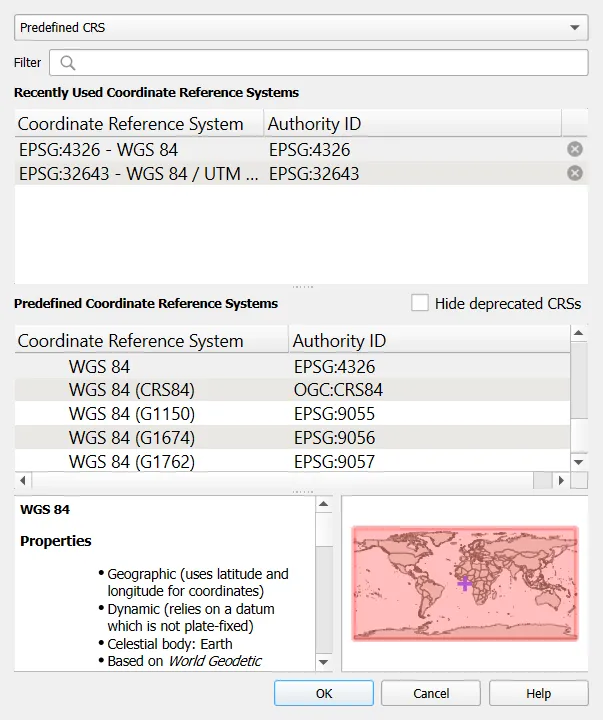
Set Layer CRS only corrects the label. It does not change coordinates. If you pick a CRS you are unsure about, the layer will still draw in the wrong place. If a layer has no CRS at all, QGIS may ask you to choose one when you add it.
Change the CRS of a layer
To change the coordinates themselves, reproject.
- Right-click the layer > Export > Save Features As (vector), or Export > Save As (raster).
- Set the CRS to the target, for example EPSG:32643.
- Save to a new file.
For many files at once, use Processing Toolbox > Reproject Layer, or Raster > Projections > Warp (Reproject). A raster is resampled when it is warped, so do it once and from the original.
Choose a CRS for your work
| Task | Choose |
|---|---|
| Distance, area or buffers in one city or state | The UTM zone that covers it |
| Area comparison across all of India | An equal-area projection or EPSG:7755, depending on what you need to preserve |
| Storing data for exchange | EPSG:4326 |
| Web maps and tiles | EPSG:3857 for display only |
| Working with satellite scenes | The scene's own CRS, to avoid resampling |
When your area crosses UTM zones, use a regional projection instead of forcing everything into one zone.
Measure correctly
QGIS has two ways of measuring.
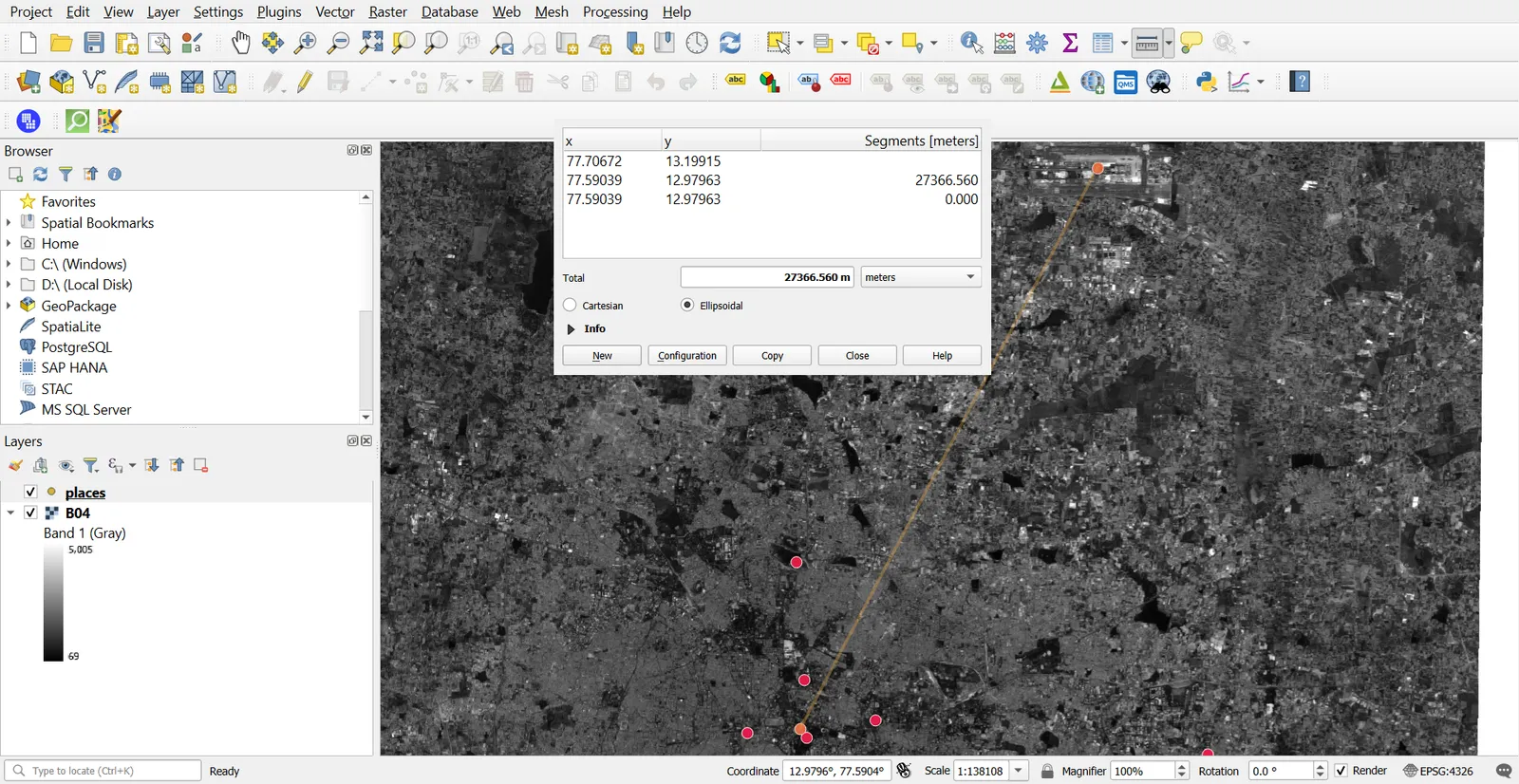
- Open View > Measure > Measure Line.
- In the dialog, check the Ellipsoid. By default it follows the project's ellipsoid, usually WGS 84.
- Click a start and end point on the map.
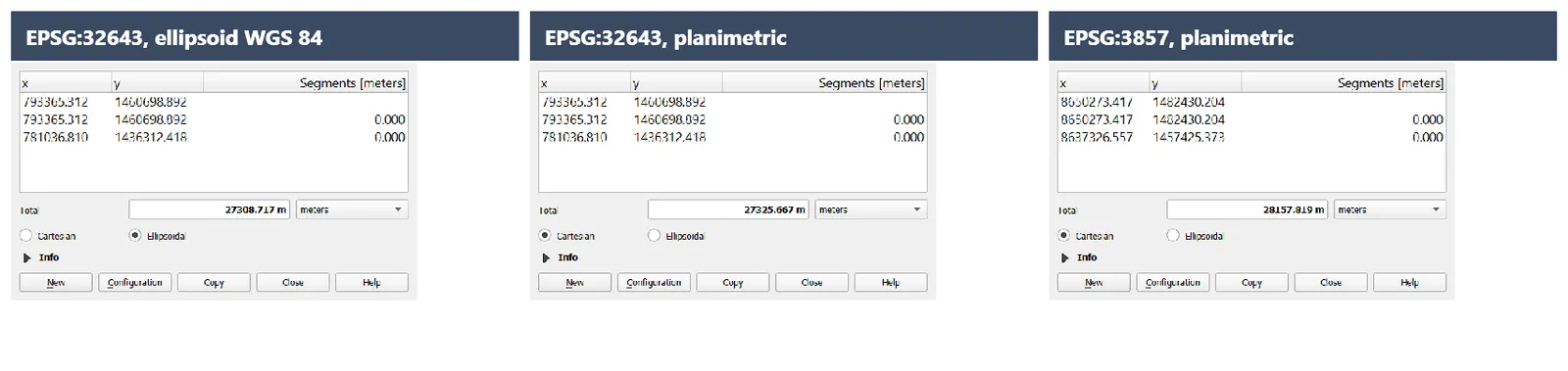
With an ellipsoid set, QGIS measures on the ellipsoid whatever the project CRS is, so the result stays reasonable even when the project CRS is EPSG:4326 or EPSG:3857. If you set the ellipsoid to None / Planimetric, QGIS measures flat on the plane of the project CRS. A planar measurement in a projected CRS is fine for small areas. In a geographic CRS it comes out in degrees, which is not a distance you can use. In EPSG:3857 it is stretched, by roughly 3% at Bengaluru's latitude for distances.
Set the ellipsoid under Project > Properties > General.
Practice exercise
- Open a new project and set the project CRS to EPSG:4326. Add
places.gpkg(from Part 4). - Use the Measure tool to measure the distance from Kempegowda International Airport to Vidhana Soudha. Note the number.
- Set the project CRS to EPSG:32643 and measure the same line again. With the ellipsoid on, the two results should be close.
- Open Project > Properties > General and set the ellipsoid to None / Planimetric. In EPSG:32643 the measurement stays close, because UTM keeps distortion small inside its zone.
- Switch the project CRS to EPSG:3857 and measure again with the planimetric setting. The distance comes out larger. Compare how much.
- Turn the ellipsoid back on when you finish.
Common mistakes
- Treating the project CRS as the layer's CRS.
- Using Set Layer CRS to move data, when it only changes the label.
- Measuring distance or area in EPSG:4326 or EPSG:3857 without checking the units and ellipsoid.
- Reprojecting a raster several times.
- Mixing up latitude and longitude order when typing coordinates.
- Guessing a CRS for a layer with no
.prjfile.