

Look at a page of a newspaper. You know where to look first without being told, because the headline is big and the rest is small. A map layout needs the same signal. Without it, a reader's eyes wander over the page and the message gets lost.
What is visual hierarchy?
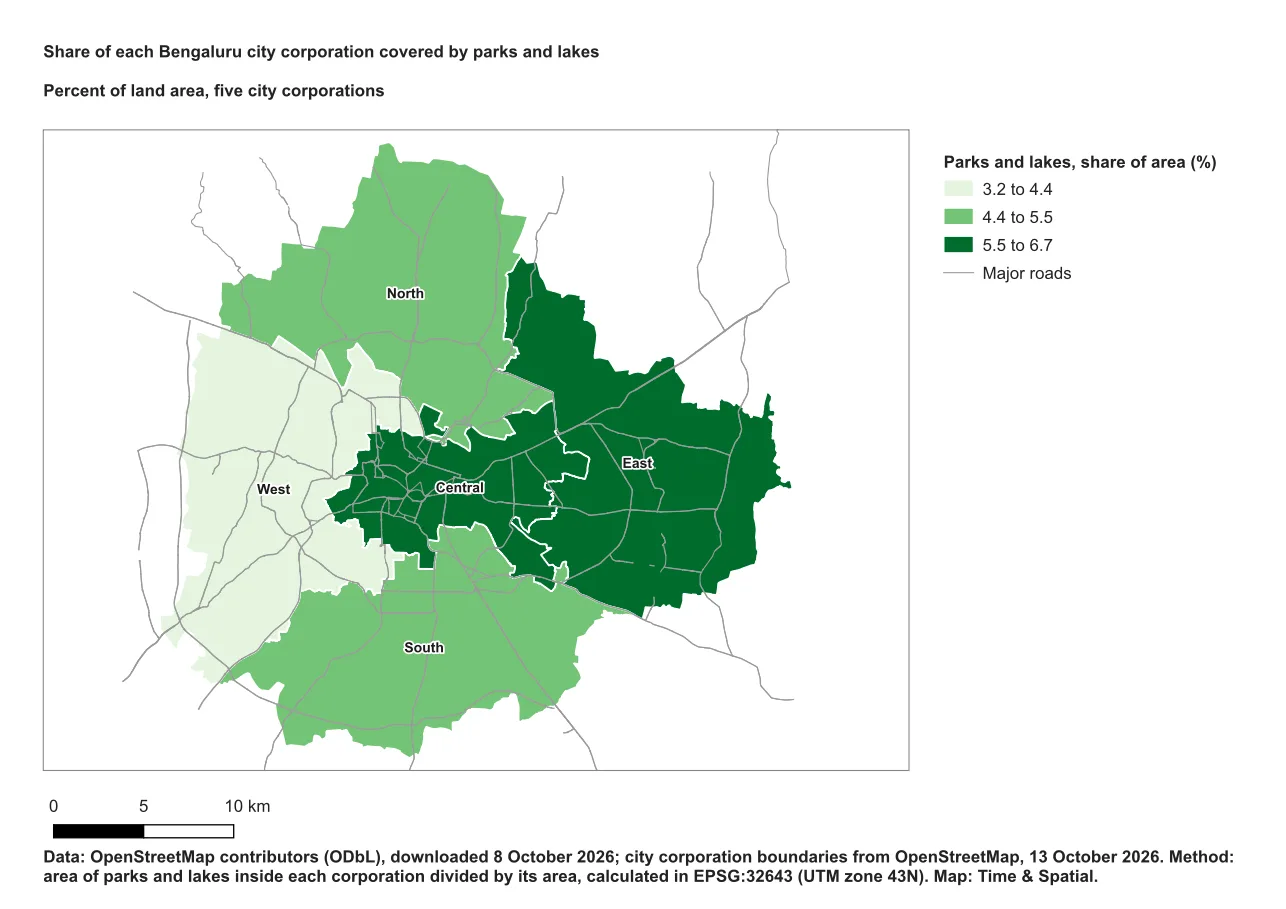
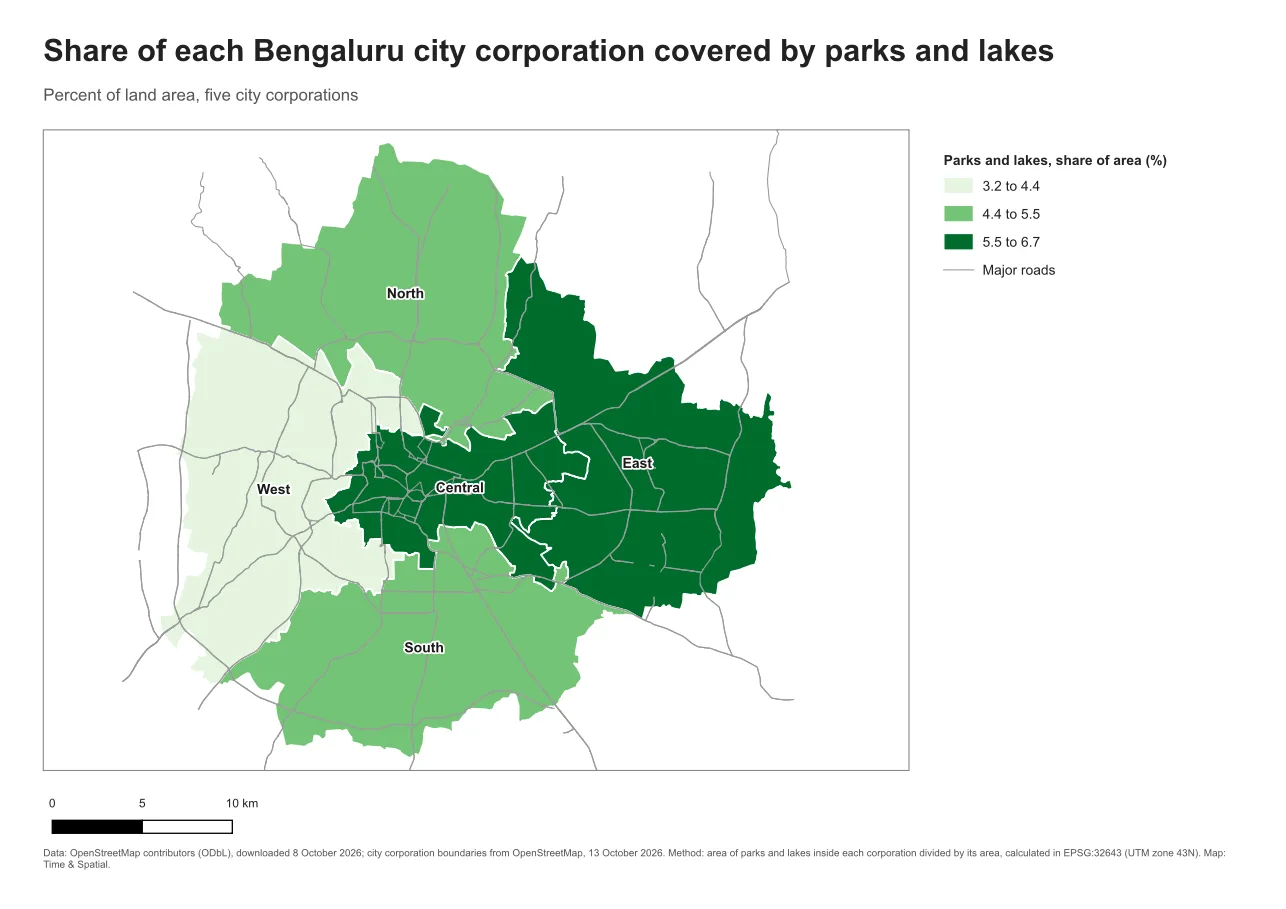
Visual hierarchy is the order in which a reader notices things. Bigger, bolder, darker and higher items get noticed first. Smaller, lighter and lower items get noticed later. You choose that order on purpose by choosing sizes, weights and positions.
Why it matters
A reader gives a map a few seconds before deciding whether to engage. If the title is the same size as the legend, and the legend is as loud as the source note, nothing leads. The reader has to work out the order alone, and many will not bother.
The usual order
For a thematic map the order is usually:
- The title, which names the subject, the place and the period when that matters.
- The map, which is normally the largest item on the page.
- The legend and any annotations, which should be easy to find but quieter than the data.
- The scale bar and orientation aids.
- Sources, credits, projection and date, which are small but still easy to read.
Adjust the order to the purpose of the map. A navigation map might put the scale and grid higher.
How to build it
Use size and weight before anything else. A small set of roles is enough:
| Role | Starting size on A4 | Weight |
|---|---|---|
| Title | 18 to 22 pt | Bold |
| Subtitle | 10 to 12 pt | Regular, a softer grey |
| Legend heading | 9 to 10 pt | Bold |
| Legend labels | 8 to 9 pt | Regular |
| Source and method notes | 6 to 7 pt | Regular, a softer grey |
These are starting values for an A4 page, not rules. A poster needs larger sizes, and a publisher may set its own. The point is the step between levels. A subtitle should be clearly smaller than the title, and the notes smaller again.
The subtitle is for a short method or comparison, such as "Percent of land area, five city corporations". It should not read as a second title.
See the difference
The two layouts below have the same content and the same colours. Only the type sizes and weights differ.
Do it in QGIS
- Add a label with Add Item > Add Label and type the title.
- In Item Properties, under Appearance, click the Font button and set the family, size and weight.
- Repeat for the subtitle and the notes, using smaller sizes and a grey colour for the quieter levels.
- In the legend's Item Properties, open Fonts and Text Formatting and set the title, group and item fonts separately.
- Step back and half close your eyes. The order you notice items in should match the list above.
Common mistake: everything is bold and the same size
Beginners often make every piece of text bold so that nothing gets missed. When everything is loud, nothing stands out. The fix is to keep only the title and the legend heading bold, and to make notes smaller and lighter.
Glossary
| Term | Meaning |
|---|---|
| Visual hierarchy | The order in which a reader notices the items on a page |
| Weight | How thick the strokes of a font are, such as regular or bold |
| Point (pt) | A unit of type size. A point is 1/72 of an inch |
| Subtitle | A short line under the title for method or comparison |
Practise it
Take a layout from the Print layouts in QGIS tutorial and set all the text to the sizes in the table. Then change each size by 2 pt and see how the order of reading changes.
Test yourself
1. What should usually be the largest item on a thematic map page?
The map frame is normally the dominant item, and the title is the largest text.
2. Why make source notes grey and small?
They must be readable, but they should not compete with the map or the title for attention.
3. What is a subtitle for?
A short method or comparison statement. It is not a second title.