

Open any GIS project and press "export". You get a picture of whatever happened to be switched on. Everything after that point in this series is about doing better than that. The first step is the one that costs nothing: decide what the map is for.
What is a design brief?
A design brief is a few lines you write before you style anything. It says who the map is for, what they should take from it, and where they will see it. It takes five minutes. It saves hours of rearranging a page when you were never sure what the page was meant to show.
Why it matters
A map shows many things at once, and a reader has only a few seconds. If every layer is equally loud, the reader has to do the analysis themselves. A brief gives you a reason to leave things out. Hospitals, stations, every road and every park may all be in your project. If the message is about parks and lakes, most of them are noise on this particular map.
The five questions
- Audience. Who will read it, and how much GIS can you assume? City planners read a map differently from residents at a public meeting.
- Message. What is the one pattern or comparison the reader should find? Write it as a sentence.
- Extent and scale. What area must be shown, and at what level of detail?
- Medium. Is it a printed A4 page, a slide, a web page or a poster? The medium sets the size, the text size and the amount of detail.
- Evidence. Which data, dates and methods must be stated so that someone can check the work?
For the maps in this series the brief looks like this:
- Audience: city residents and planners with no GIS training.
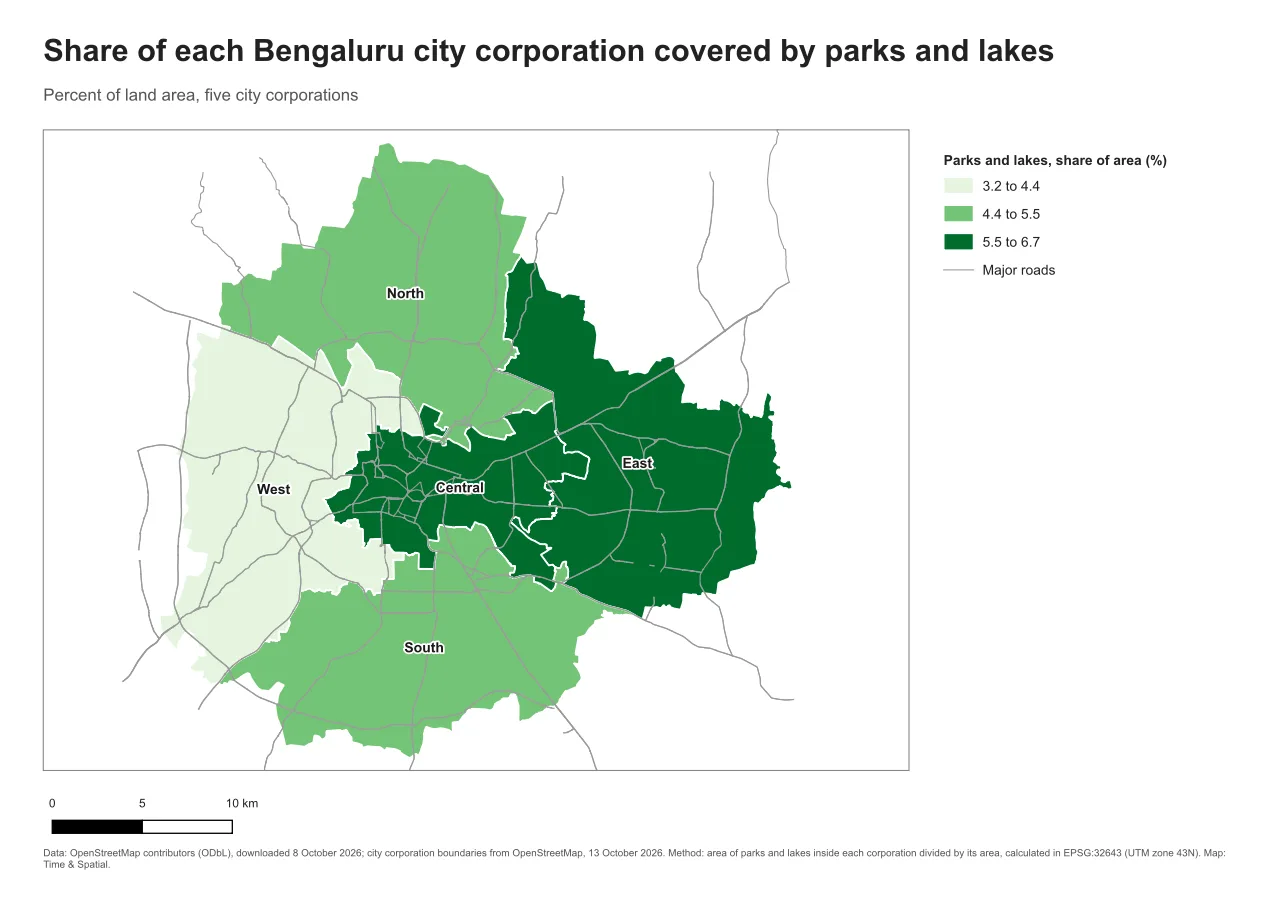
- Message: parks and lakes cover a different share of each of Bengaluru's five city corporations, from about 3 percent in the West to about 7 percent in the East.
- Extent: the five city corporations, all of them.
- Medium: an A4 landscape page in a report.
- Evidence: OpenStreetMap data, with the method written on the page.
See the difference
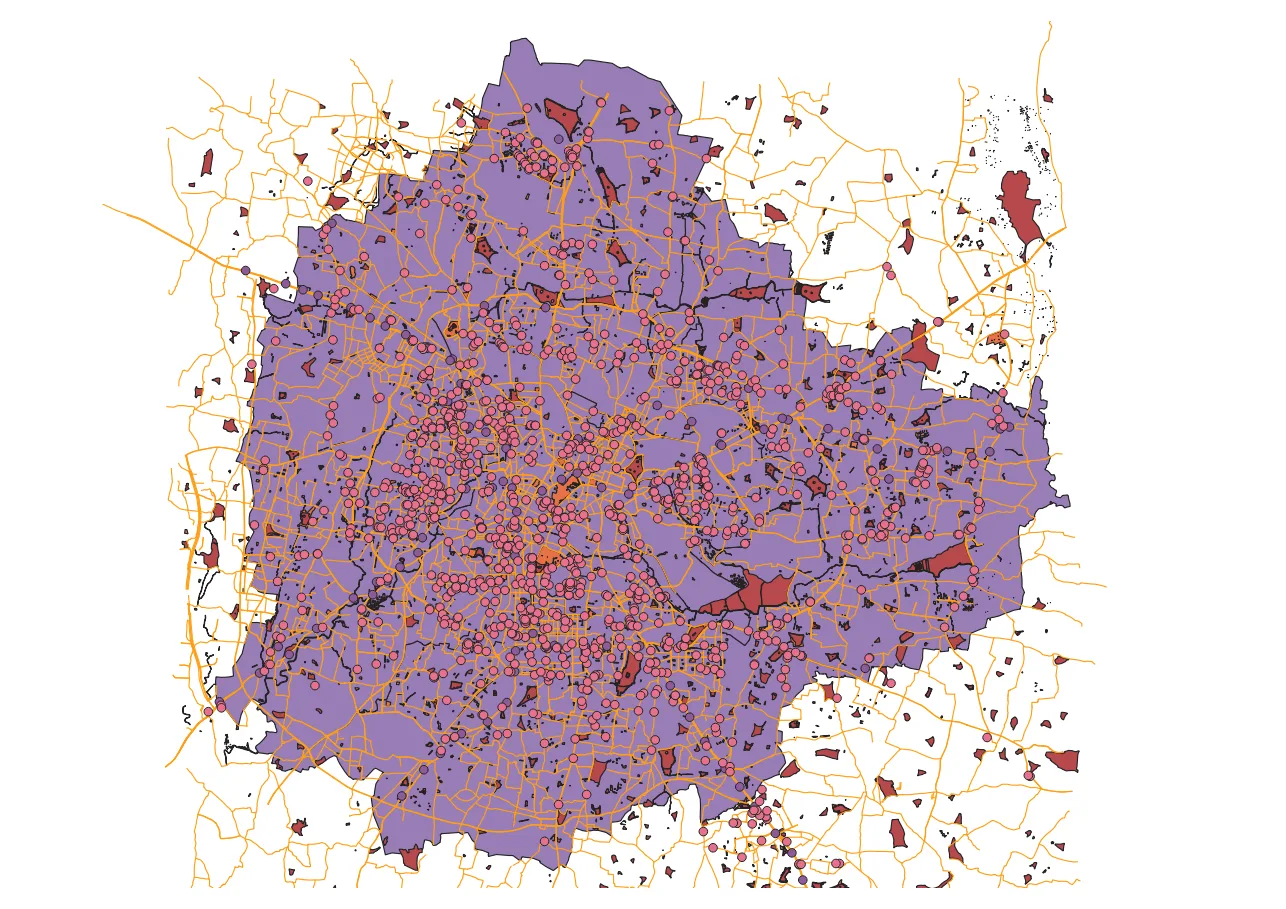
The first map below is what you get by loading the layers and exporting. The second is the same data after writing the brief above.
Do it in QGIS
- Write the five answers in a text file or on paper.
- In the main QGIS window, switch off every layer that does not serve the message. Do not delete them, only hide them.
- Style the layers that remain so the message is the loudest thing on the map. The tutorial Vector editing and styling covers the styling tools.
- Only then open Project > New Print Layout.
Common mistake: laying out a screenshot
The common mistake is to start in the layout window and try to rescue a map that never had a purpose. Moving the legend around cannot give a map a message. The fix is the order of work: brief first, then styling, then layout.
Glossary
| Term | Meaning |
|---|---|
| Design brief | A short written plan for a map: audience, message, extent, medium and evidence |
| Thematic map | A map about one topic or measurement, for example a share or a count |
| Extent | The part of the world the map frame shows |
| Medium | Where the map will be seen: print, screen, slide or poster |
Practise it
Pick a map you made before. Write its five answers. Then list the layers you would switch off. The tutorial Print layouts in QGIS shows how to build the page once the brief is clear.
Test yourself
1. Why write the message as a full sentence?
A sentence forces a choice. "Parks" is a topic, but "the West has the smallest park and lake share" is a message you can check on the finished map.
2. Which layers belong on the map?
Only the ones that help the reader find the message, plus a little context such as major roads. Everything else is hidden for this map.
3. Why does the medium matter before styling?
Text and line sizes that read well on a poster are too big for A4, and a web map can use interaction that paper cannot.