

Two different problems
| Interpolation | Density analysis | |
|---|---|---|
| Input | Points with a measured value (temperature, rainfall, elevation) | Points that mark where something is (hospitals, incidents) |
| Question | What is the value between my sample points? | How concentrated are the points? |
| Output | A continuous surface of the measured variable | A surface of how many points per unit area |
Pick the method by the question. Interpolating the count of hospitals, for example, is usually meaningless, while density is the right way to show where they cluster.
Data used
- Landsat 8 surface temperature
ST_B10for 29 March 2025 (path 144 row 051). It is already a surface temperature product, so you convert the integers to Celsius and do not need to calculate it from radiance. hospitalspoints from Q11.
1. Prepare the surface temperature
The Landsat Collection 2 surface temperature band stores Kelvin as integers.
temperature (K) = DN * 0.00341802 + 149.0
temperature (C) = temperature (K) - 273.15
In the Raster Calculator, with the layer named L8_ST:
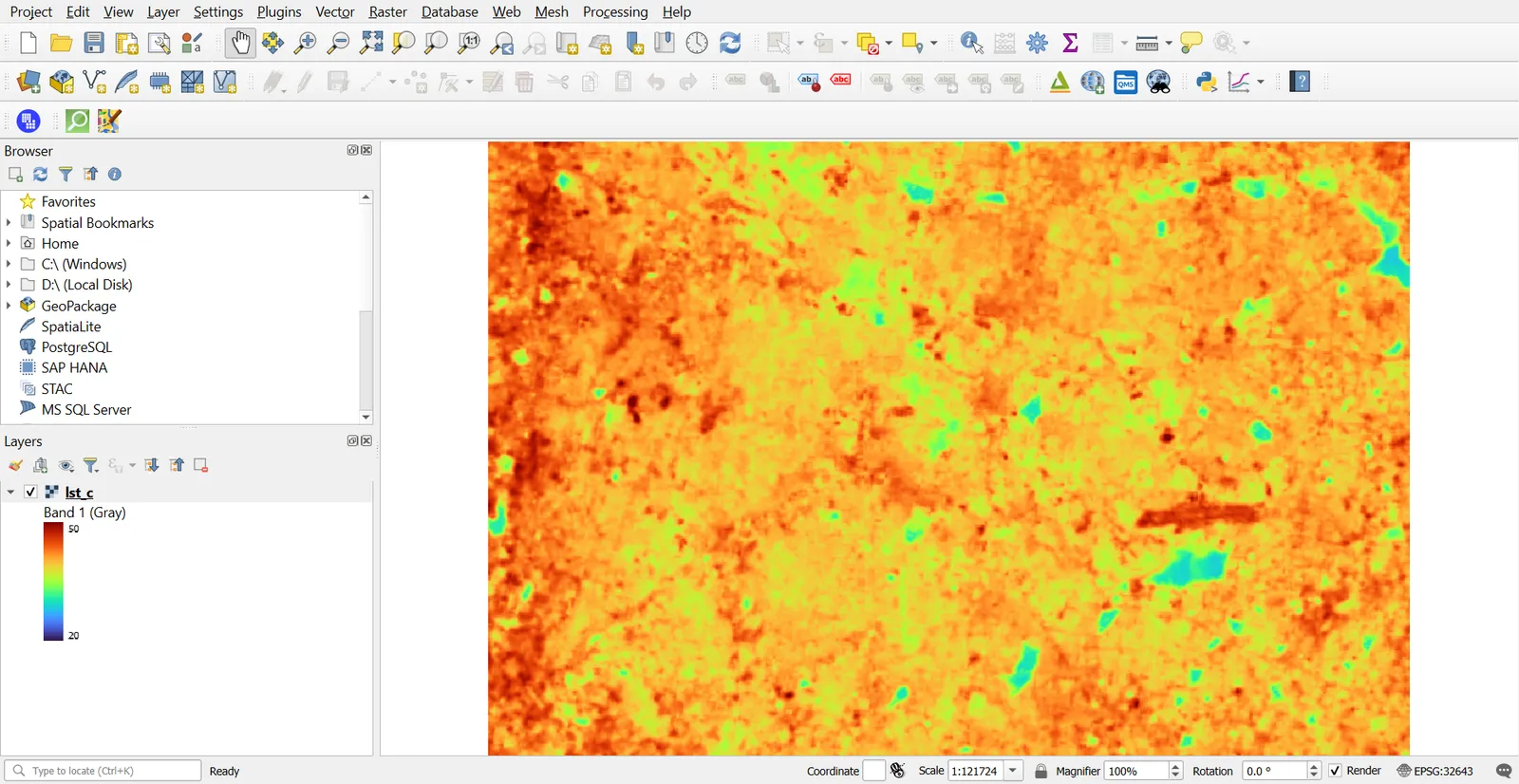
("L8_ST@1" * 0.00341802 + 149.0) - 273.15
Save as lst_c.tif. Cells with DN of 0 are NoData and come out at about -124, so set 0 as the NoData value on the input first (Layer Properties > Transparency > Additional no data value).
Clip to an area around Bengaluru (Part 1).
2. Create sample points
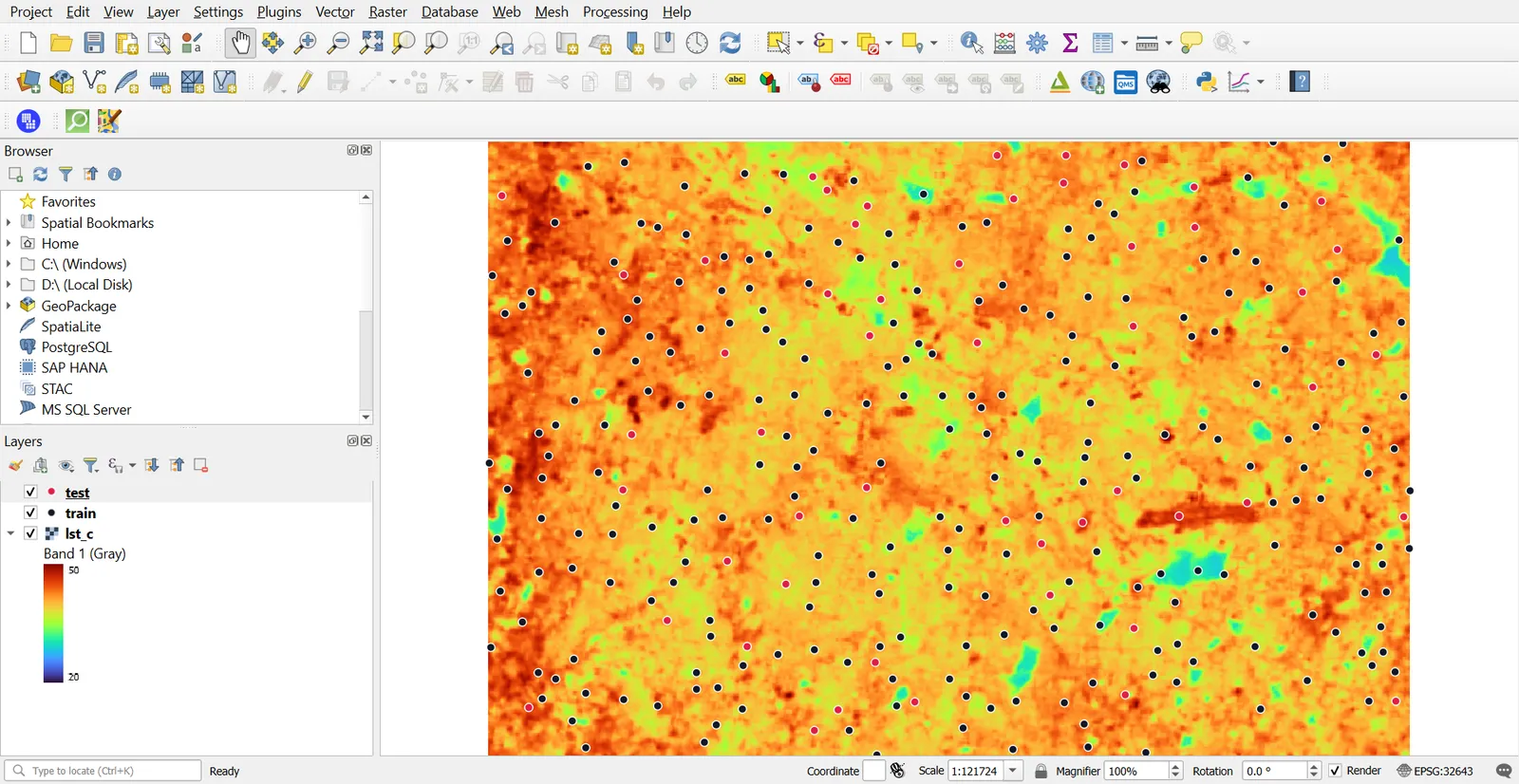
Real interpolation starts with measurements at points. We make them from the raster, so we can compare the result against the true surface.
- Processing > Random Points in Extent. Extent: the clip area. Number of points:
300. Minimum distance:500. CRS: EPSG:32643. - Processing > Sample Raster Values. Input: the random points. Raster:
lst_c. Output column prefix:temp. A columntemp1appears. - Open the attribute table and remove any rows with NULL
temp1(Select by Expression:"temp1" IS NULL, then delete). - Set aside about 20% for testing. Add an integer field
holdoutwith the Field Calculator:if(rand(1,5) = 1, 1, 0). Then split intotrain(whereholdout= 0) andtest(whereholdout= 1) with Extract by Expression.
3. IDW interpolation
Inverse distance weighting estimates a value as a weighted average of nearby samples. Closer points count more.
- Processing > IDW Interpolation.
- Input layer:
train. Interpolation attribute:temp1. Click the plus to add it. - Distance coefficient P: start with
2. - Extent: from the clip area. Output raster size: set Pixel size to
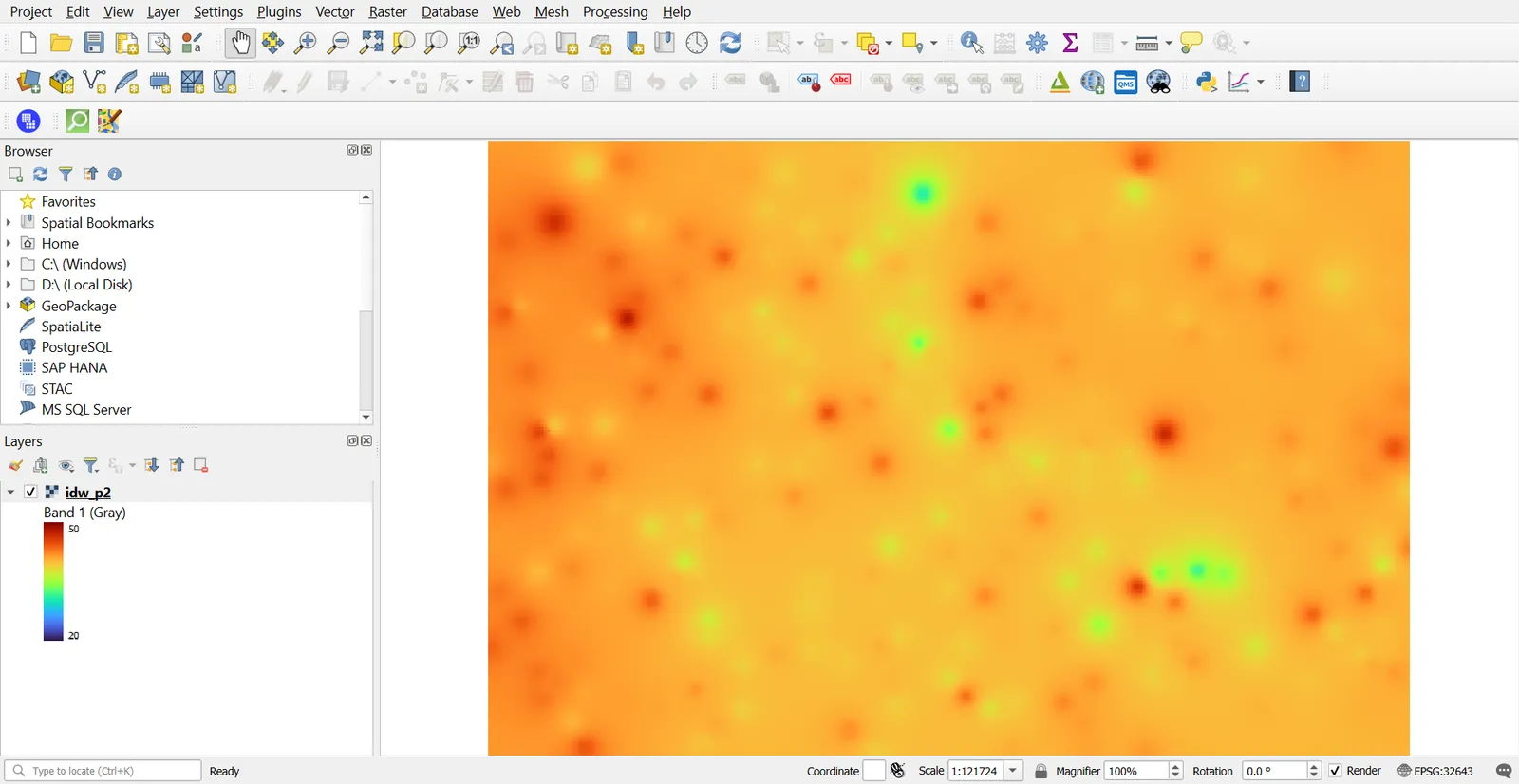
100. - Run, and style with the same ramp as the original surface.
Raise P and the surface hugs the nearest sample. Lower P and it smooths. IDW cannot produce values beyond the sample minimum and maximum, and it makes small circular bumps around points.
4. TIN interpolation
A TIN (triangulated irregular network) joins the sample points into triangles, and interpolates linearly inside each triangle.
- Processing > TIN Interpolation.
- Input:
train, attributetemp1, with Use Z coordinate for the interpolation off. - Method: Linear. Extent and pixel size as before.
A TIN passes exactly through each sample and gives hard edges at the triangle boundaries. It does not extrapolate beyond the points' convex hull.
5. Kriging
Kriging uses a model of how similar values are at different distances (a variogram), and gives the best linear estimate under that model, along with an uncertainty.
QGIS does not include kriging in its core Processing tools, so use one of these:
- GRASS:
v.krige, which needs R with thegstatpackage. - SAGA: Ordinary Kriging, with a variogram from SAGA's Variogram tool, if your QGIS includes SAGA (the 3.44 install used here does not).
The usual workflow is:
- Plot the empirical variogram of the training values.
- Fit a model (spherical, exponential or Gaussian) and read its nugget, sill and range.
- Run ordinary kriging with the fitted model.
- Map both the estimate and the kriging variance.
Kriging is only as good as the variogram, and a poor fit gives a poor surface. For a tutorial, IDW and TIN are enough, and kriging can be a follow-up.
6. Compare and check the result
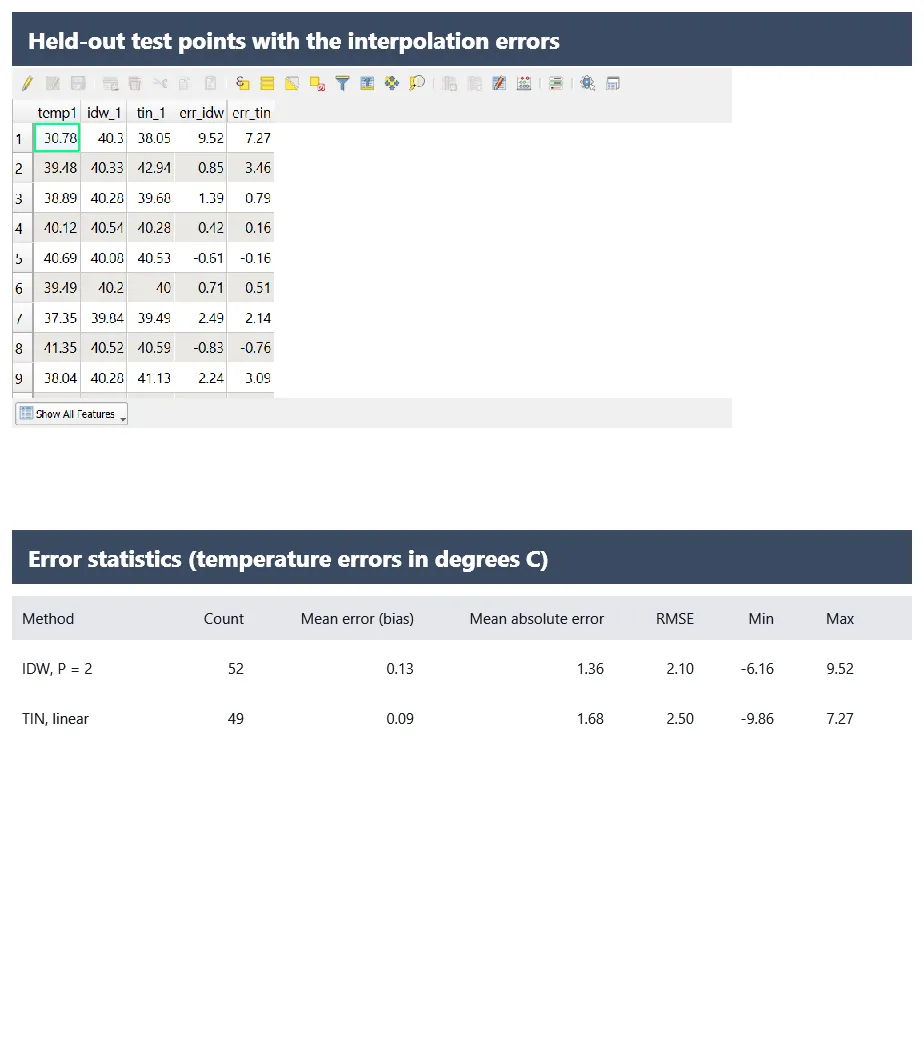
Compare each method against the held-out test points.
- Run Sample Raster Values on the
testpoints for each interpolated surface, with prefixesidw_andtin_. - In the Field Calculator, add
err_idwas"idw_1" - "temp1"anderr_tinas"tin_1" - "temp1". - Use Basic Statistics for Fields on each error column. The mean error (bias) and the root mean square error (RMSE) are the numbers to compare. RMSE is the square root of the mean of the squared errors, which you can compute as
sqrt(mean("err_idw" * "err_idw"))in the Statistics Panel or a spreadsheet.
The method with lower RMSE on points it never saw is the better fit for this data. In the tutorial run, IDW and TIN gave RMSE values within about 0.2 degrees of each other, around 2.3 to 2.5 degrees Celsius, and which one came out ahead changed with the random sample. That is a useful result in itself: with 230 samples over 30 km, the choice of method matters less than the sampling. The pattern will differ with another study area.
7. Density analysis and heatmaps
Kernel density (heatmap)
- Processing > Heatmap (Kernel Density Estimation).
- Point layer:
hospitals. - Radius:
3000m. The radius sets how far each point's influence spreads, so it controls the smoothness. - Pixel size:
50m. - Kernel shape: Quartic (biweight) is a common default.
- Optional: Weight from field, if each point carries a count.
- Run. Style with a heat-style ramp (for example Magma or Inferno), with the lowest values transparent.
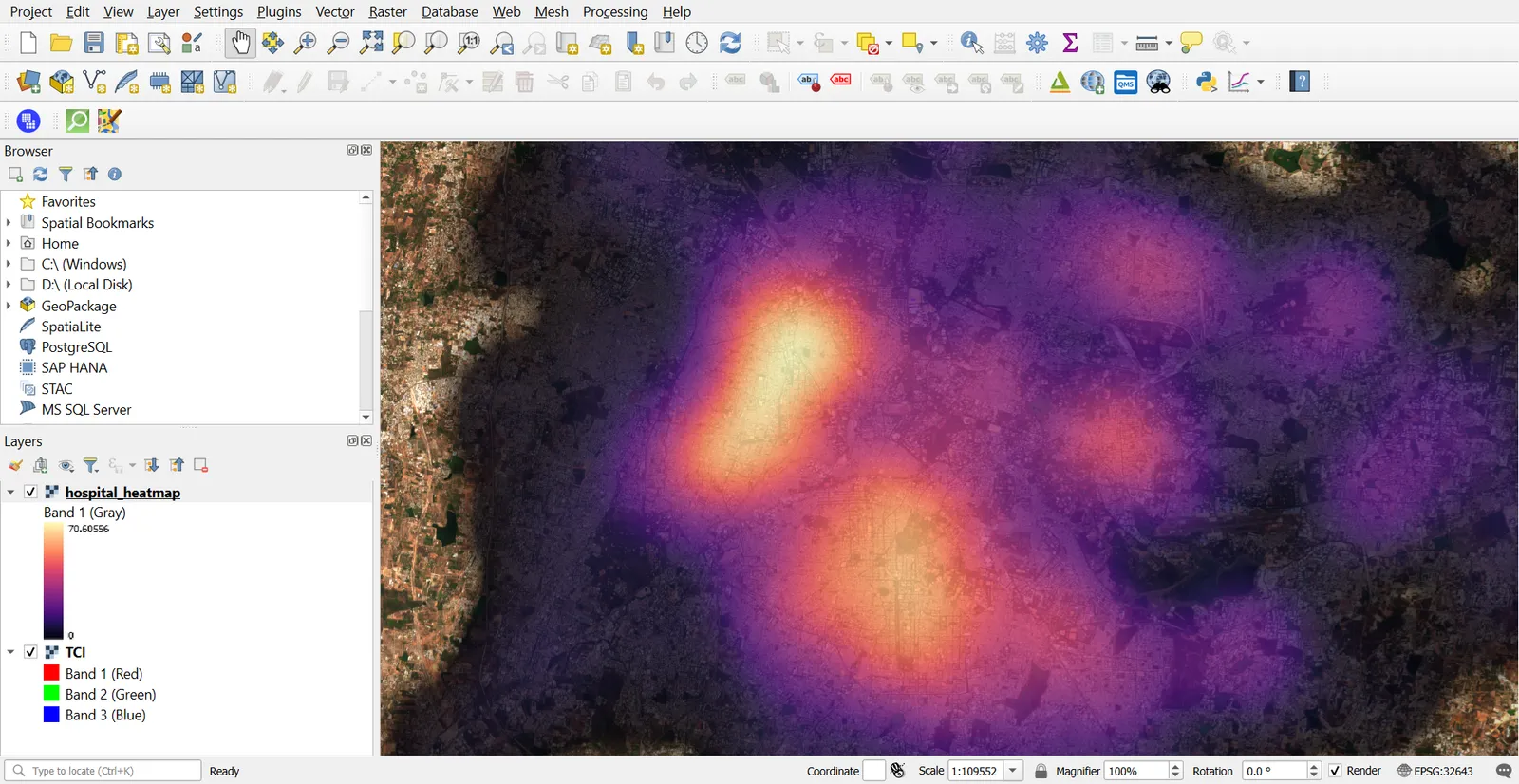
Try 1500 m and 6000 m for the radius. A small radius shows local peaks, and a large one shows broad regions. There is no single right radius, so choose one that matches the scale of the question.
Live heatmap renderer
For a quick look without producing a raster, set the layer's Symbology to Heatmap. It is for display only, so use the Heatmap tool when you need the numbers.
Point density in a grid
- Create a hexagon or square grid (Processing > Create Grid).
- Run Count Points in Polygon (Q11).
- Divide the count by cell area to get points per square kilometre.
A grid is easier to explain and compare than a smoothed surface. It depends on the cell size and the position of the grid, so try a different size to see how stable the pattern is.
Common mistakes
- Interpolating something that is a count of events and not a measured field.
- Using too few samples, or only samples clustered in one place.
- Judging an interpolation by how smooth it looks.
- Testing against the same points used to build it.
- Picking a heatmap radius without trying others.
- Running interpolation in a geographic CRS, where distances are in degrees.